Support
One address for all apps: [email protected]. Please include the app name, device model, and iOS version.
General questions
How do I restore purchases on another device?
Open the app's Settings → Restore Purchases on that device. No extra charge with the same Apple Account.
How do I change ad personalization?
iPhone Settings → Privacy & Security → Tracking. In some regions (such as the EU), also in the app's Settings → Ad Privacy Choices.

Mallang One Line
How many hints can I use?
Hints: 3 free hints a day. Watch a short ad for one more, or buy Remove Ads for unlimited hints.
How do I move my progress to a new device?
Moving progress: Sign in with the same Apple Account with iCloud on, and your progress moves to the new device automatically.
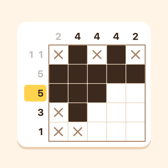
Mallang Nonogram
How many hints can I use?
Hints: Each board has 3 free “Show a Line” and 1 free “Reveal a Cell” hints. You earn a spare hint (up to 5) each time you clear a new picture, and a short ad gives you one more. Remove Ads gives unlimited hints.
What do the red borders mean?
Red borders on cells: That cell should be empty in the answer. Turn off Settings → Play → Show Mistakes to solve without it from the next board.
How do I see the tutorial again?
Seeing the tutorial again: Settings → About → Meet Mallang again.
How do I move my progress to a new device?
Moving progress: Sign in with the same Apple Account with iCloud on, and your stars and achievements move to the new device. A board in progress stays on its device.